PaperBrainz for Wix
Add an AI chatbot to your Wix site in one click
PaperBrainz is a Wix App Market app. Click Add to Site and it installs itself — no code, no embed element, nothing to paste. Then point it at your own pages and documents, and it answers your visitors around the clock.
Installs in one click from the Wix App Market · No code

Why Wix owners need this
Wix site owners are usually the same person doing sales, delivery and support. Questions arrive at all hours through the contact form and sit there until someone opens the inbox.
Most of those questions are already answered somewhere on the site — on a services page, in an FAQ, in a PDF price list. Visitors just did not find them.
See it in action
The same walkthrough as the Wix App Market listing.
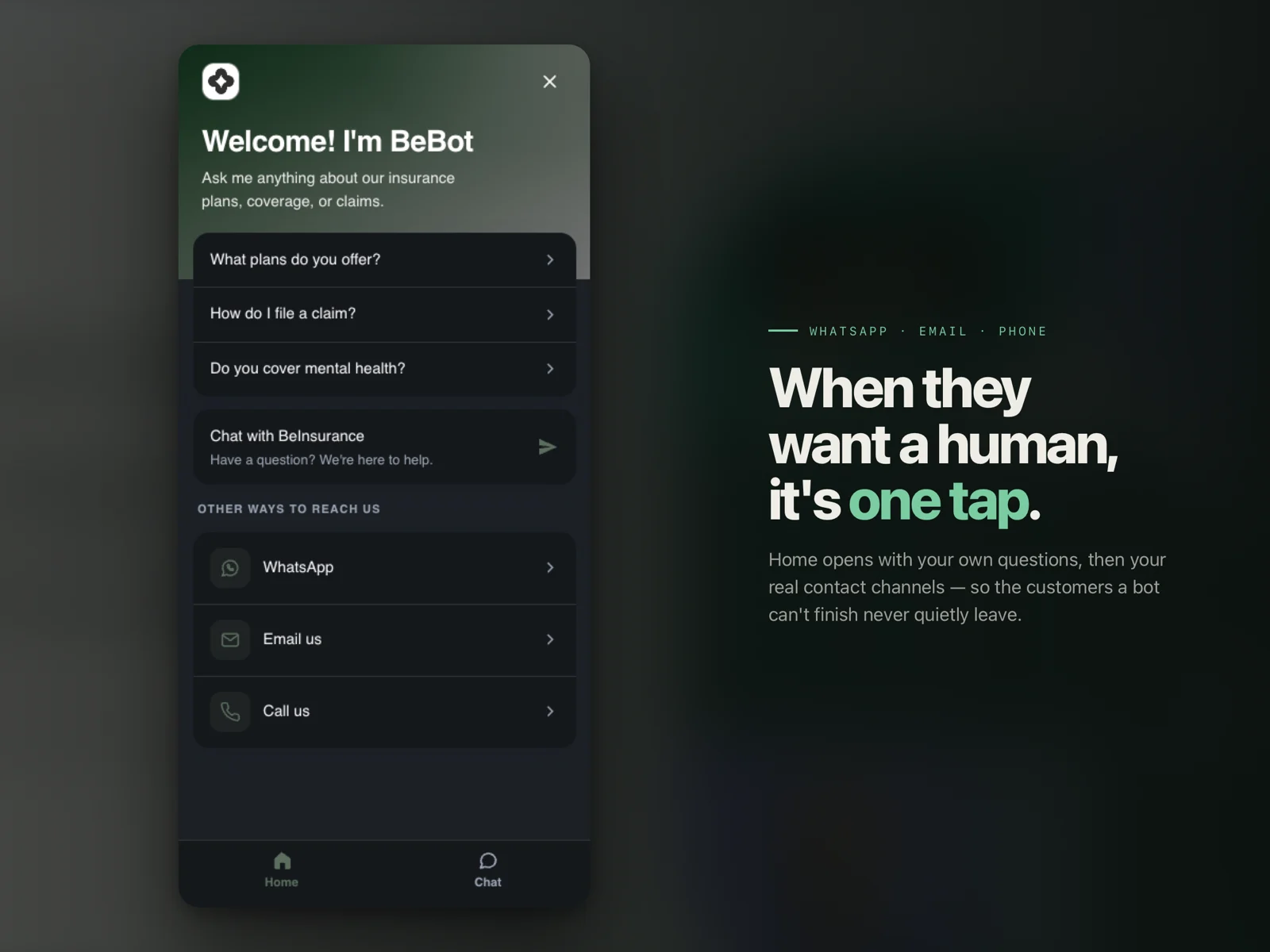
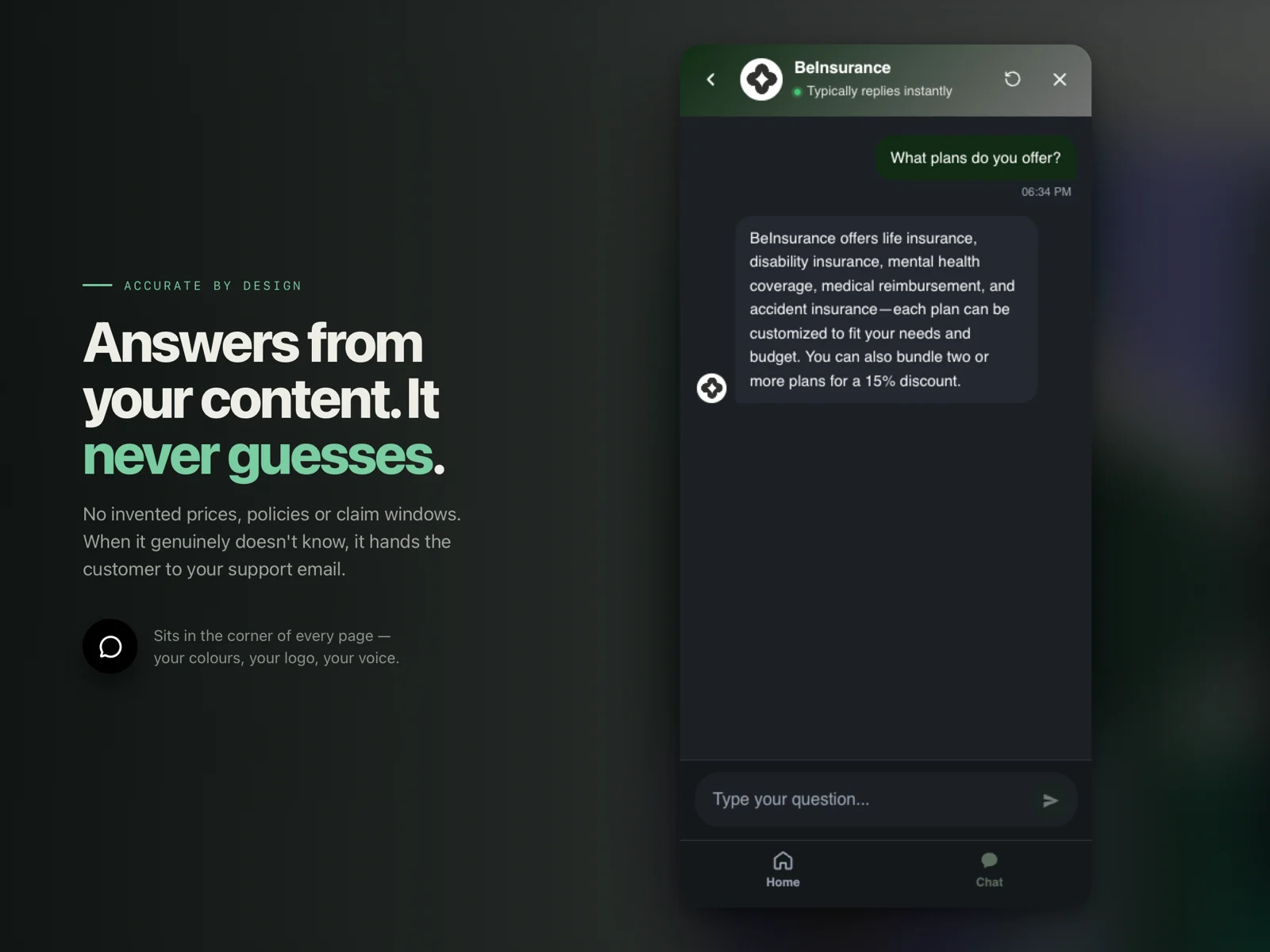
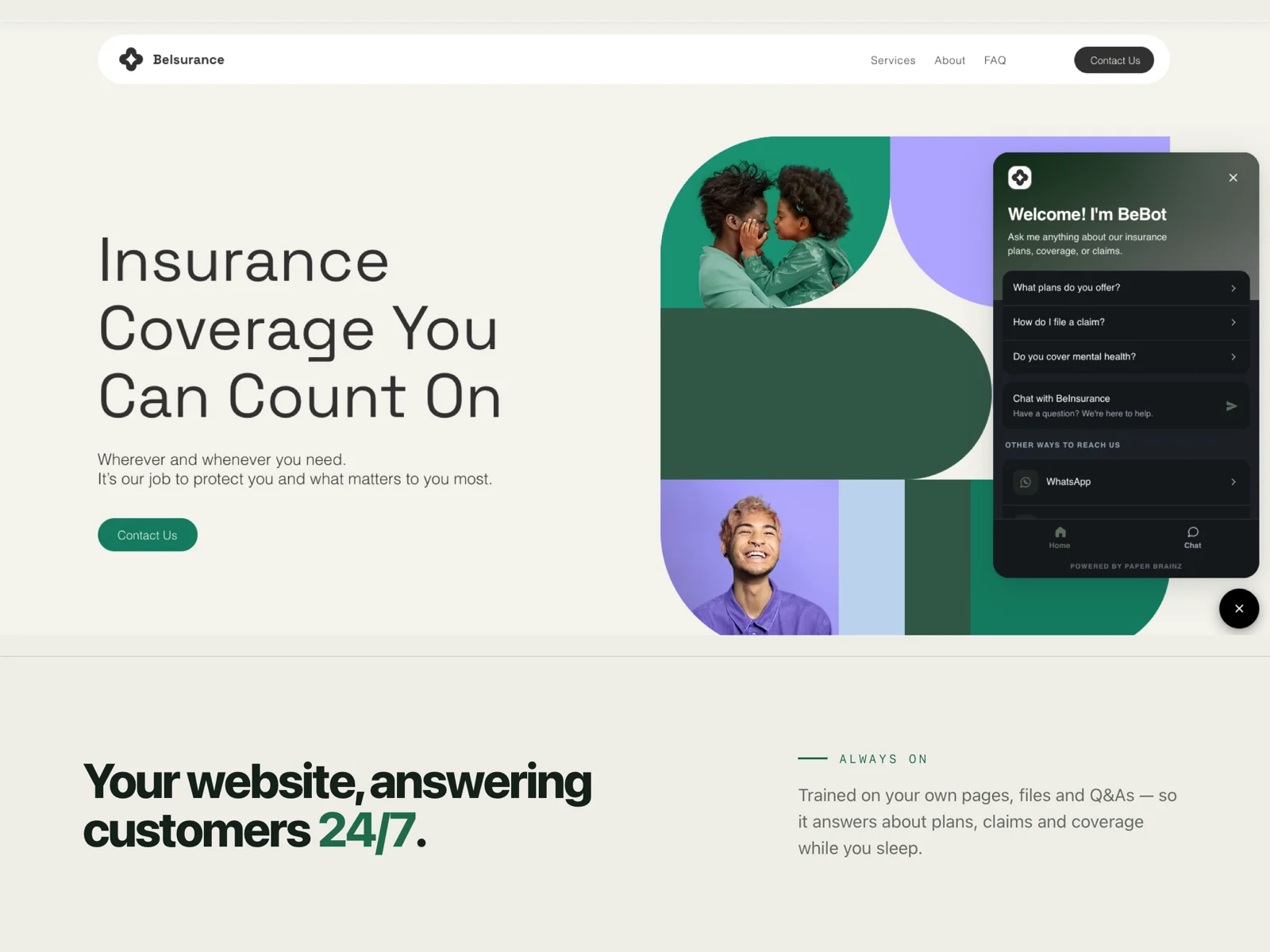
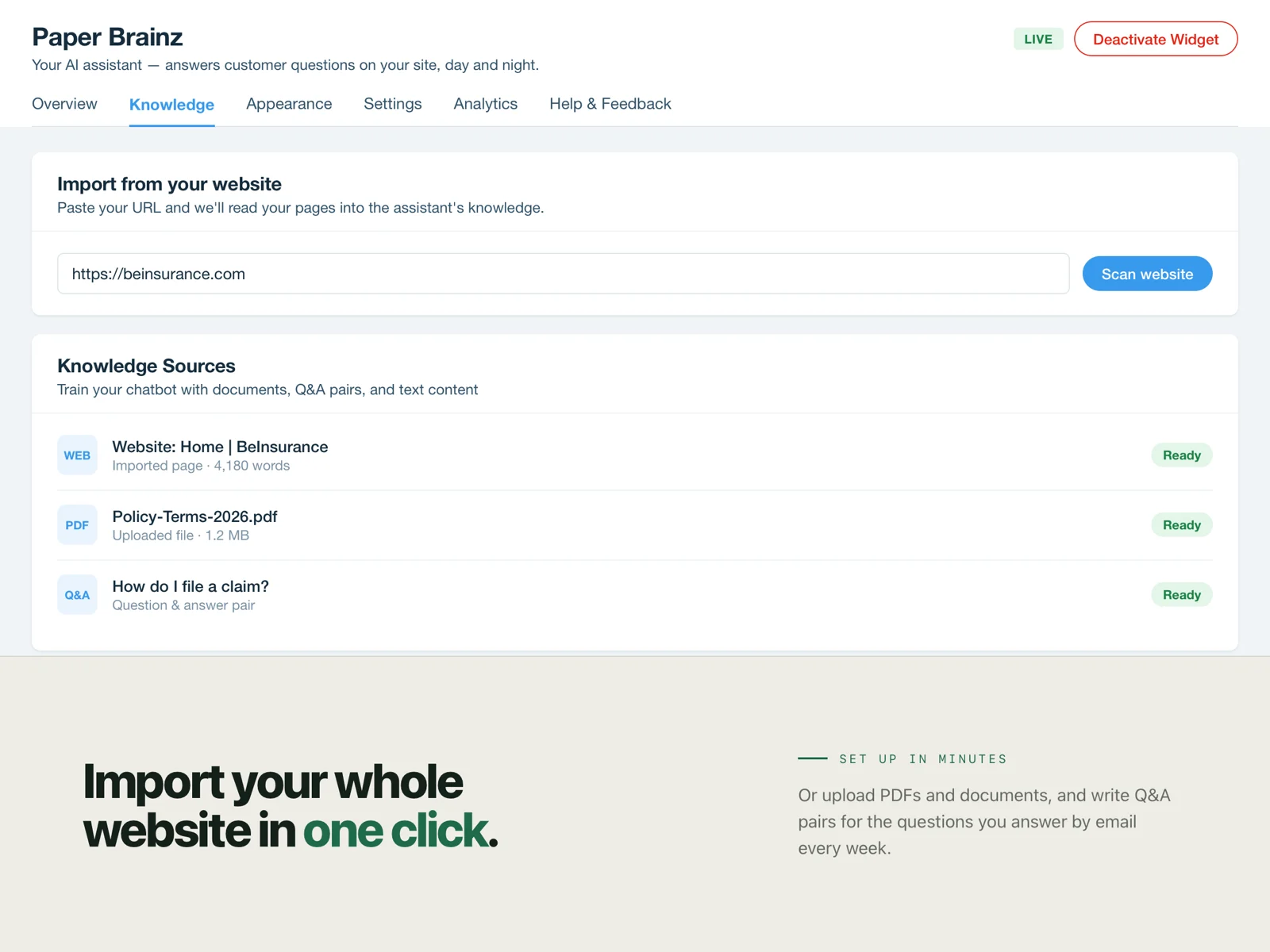
When they want a human, it's one tap
How to set it up on Wix
Four steps, none of them involving code. Most people are live the same day.
Open PaperBrainz in the Wix App Market and click Add to Site. The app installs itself onto your site — there is no code to copy and nothing to paste.
Add your content: upload PDFs or Word files, paste text or Q&A pairs, or let it read your existing Wix pages.
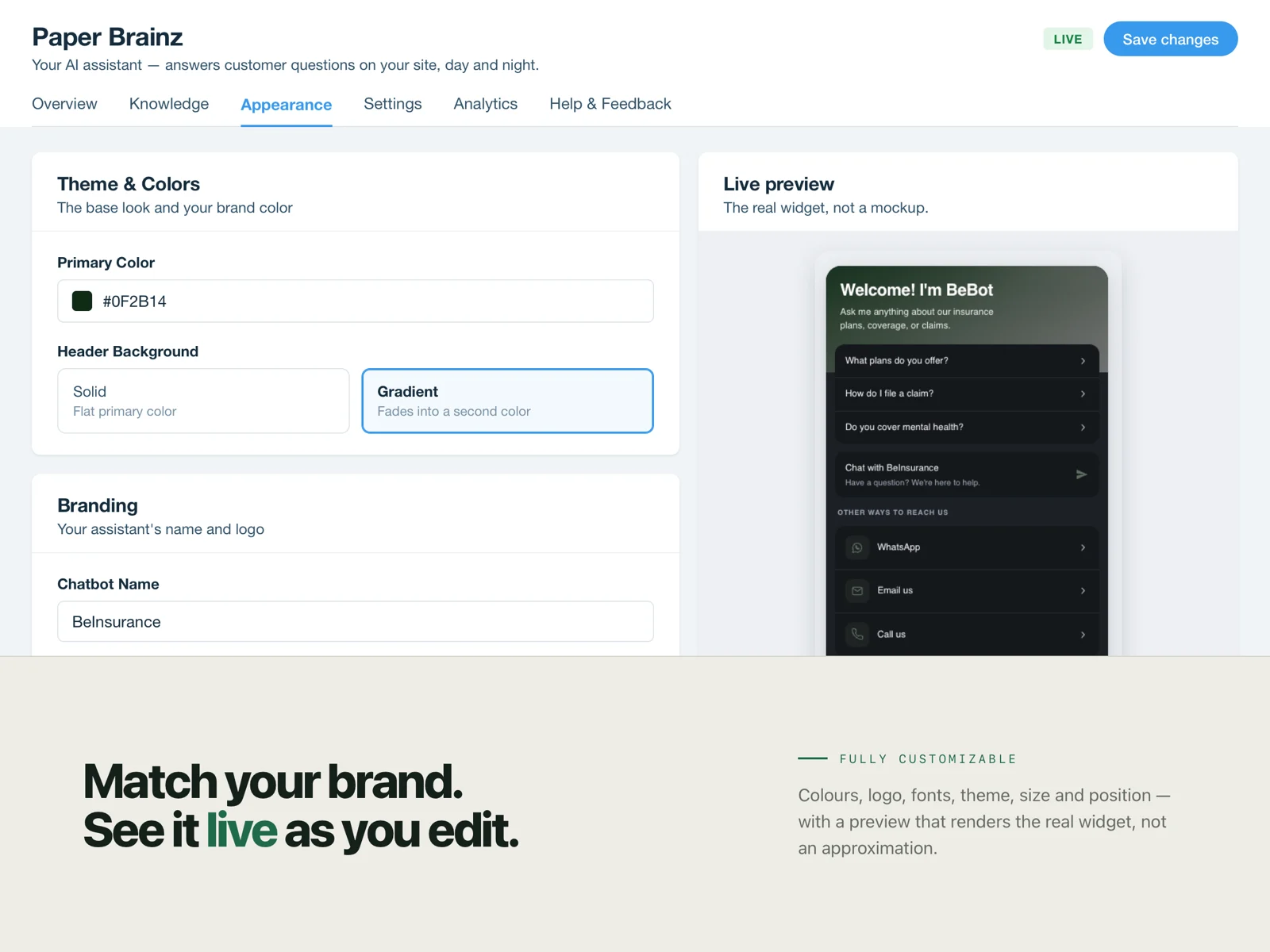
Style the widget to match your site — colours, logo, position, greeting, light or dark.
Publish. The chatbot is live on your Wix site and starts answering visitors straight away.
What you get
Included on every plan unless the pricing page says otherwise.
Trained on your content
Upload PDFs, DOC and DOCX files, paste text, add Q&A pairs, or import the pages of your live site. The chatbot answers from those sources and nothing else.
Fully customisable widget
Match your brand with custom colours, 40 Google Fonts, your own logo, light or dark theme, three sizes, four positions and seven chat button icons.
Widget text in 28 languages
The greeting, placeholder and suggested questions ship ready in 28 languages. You choose yours in settings, and the chatbot can hold conversations in other languages too.
Built-in analytics and usage tracking
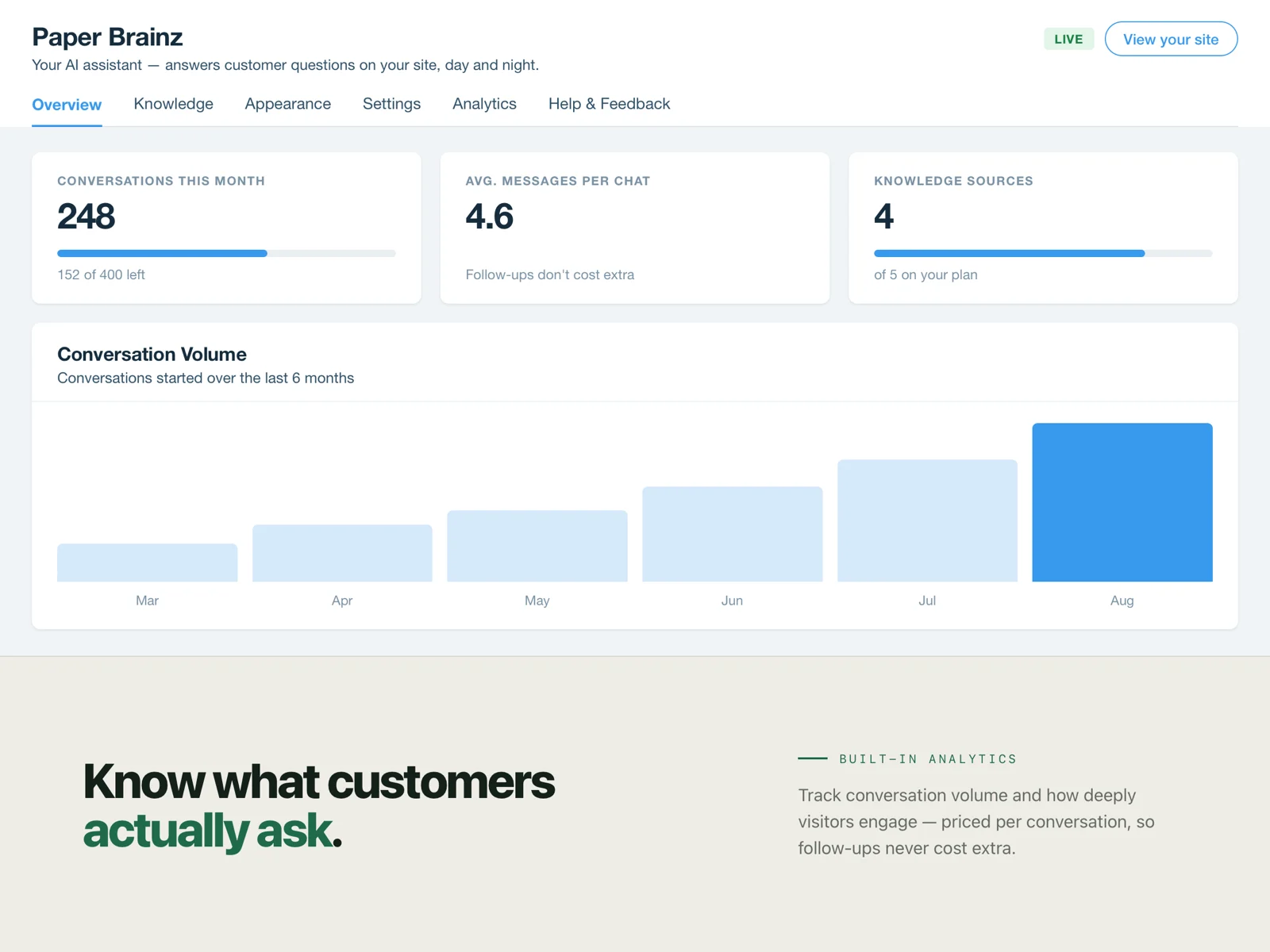
Monitor chat volume, read back what customers actually asked, and see how much of your monthly allowance you have used — without adding another analytics tool.
What it does not do on Wix
- The chatbot answers from the content you give it. It does not read live Wix Stores data, so it cannot look up a specific order, stock level or booking.
- Pages behind a members-only login are not readable by the site scraper. Upload those documents directly instead.
Wix questions
No. PaperBrainz is a Wix App Market app: you click Add to Site and it installs itself. There is no script tag, no HTML embed element and no developer needed.
It appears as a chat button on your published Wix site. You choose the corner it sits in, its colours, logo and greeting from the PaperBrainz dashboard.
Yes. Point it at your site and it reads your public page content as a knowledge source. You can also upload PDFs, DOC and DOCX files, paste text, or add question-and-answer pairs by hand.
The widget loads asynchronously after your page content, so it does not block your pages from rendering.
It tells the visitor it does not have that information and can point them to your contact details rather than guessing. You can edit that fallback message.
Put it on your Wix site today
One click from the Wix App Market. No code, and you can remove it just as easily.
Using something else?